๐Ÿ›ก๏ธ 100% Open Source & Offline
๐Ÿฑ Cat Gatekeeper for Desktop

Cat Gatekeeper
for Your Desktop.

The desktop version of Cat Gatekeeper that actually works. Pawzy blocks your entire screen โ€” not just 6 websites. Works on every app, game, and browser. No new-tab bypass. No Alt+F4.

Direct downloads ยท Free forever ยท macOS coming soon

โœจ Boosts focus ๐Ÿ›‘ Uncompromising Screen Locks ๐Ÿ‘๏ธ Forces eye rest ๐Ÿง˜ Enforces stretching ๐Ÿ’ง Hydration enforcement ๐Ÿพ Works on ALL apps - not just 6 websites ๐Ÿ”’ Can't bypass with a new tab ๐Ÿฑ Cat Gatekeeper Alternative for Desktop
๐Ÿฑ vs Cat Gatekeeper

Love Cat Gatekeeper? You'll Love This More.

Cat Gatekeeper inspired this whole category. But it's a browser extension with real limits. Pawzy is what happens when you rebuild that idea as a proper desktop app - with zero compromises.

Feature
๐Ÿ˜ฟ Cat Gatekeeper
๐Ÿพ Pawzy
Works on YouTube, TikTok, Instagram
6 sites only
All sites
Works on desktop apps (Spotify, games, IDE)
Browser only
Entire OS
Bypass-proof (no new-tab workaround)
New-tab bypass
Inescapable
Works on Brave, Firefox, Arc
Chrome only
Any Browser
Multiple animal companions
1 (cat only)
4 Companions
Works offline
100% Offline
Free & Open Source
Always Free
"It only supports 6 web pages. I want to use it on ALL sites, very disappointing."
Real Cat Gatekeeper review โ†“
Chrome Web Store ยท May 2026
"I can open a new tab to reset the timer. Facebook blocked by cat โ†’ Open new tab โ†’ Facebook unblocked :)"
Real Cat Gatekeeper review โ†“
Chrome Web Store ยท May 2026
"Still waiting. It hasn't appeared and it's more than an hour now."
Real Cat Gatekeeper review โ†“
Chrome Web Store ยท May 2026
Meet the enforcers

Choose Your Companion

Pick during first launch or change anytime in Settings. Each one has a unique personality and animations.

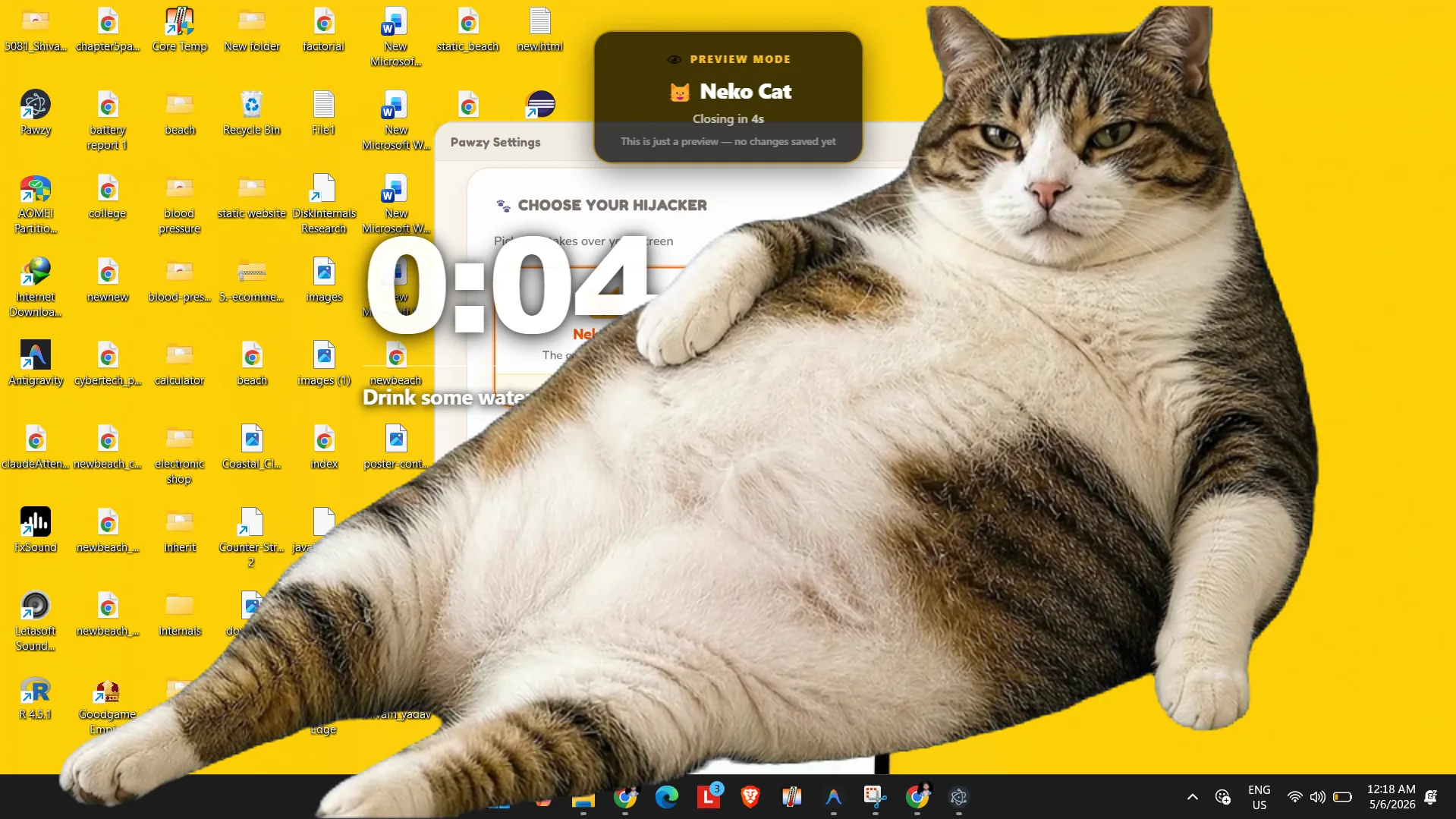
Neko Cat

Neko Cat

The original. Slides in from the right and judges your productivity silently.

Get Pawzy
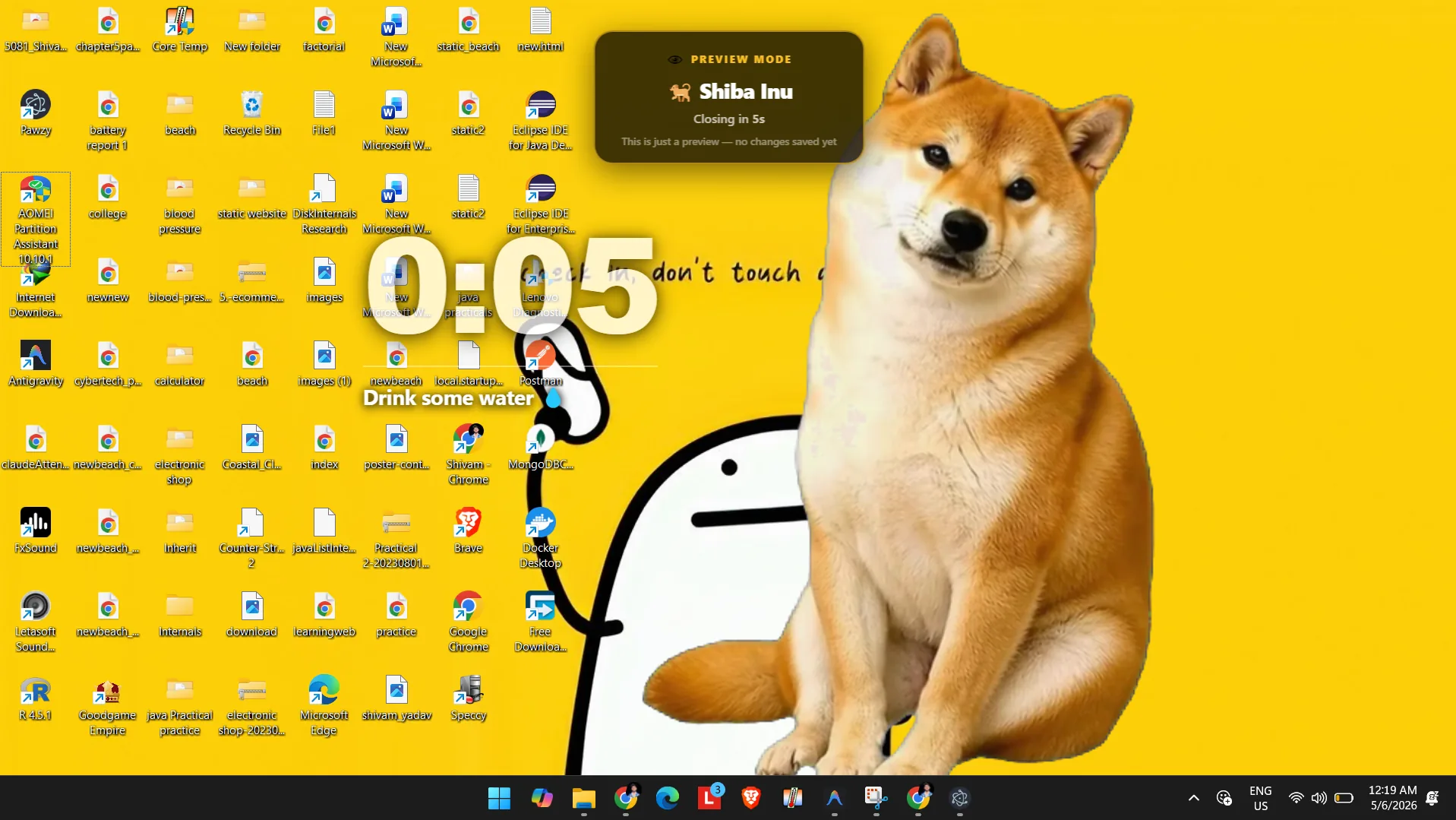
Shiba Inu

Shiba Inu

Much break. Very rest. Wow. Bobs happily and twitches ears during idle.

Get Pawzy
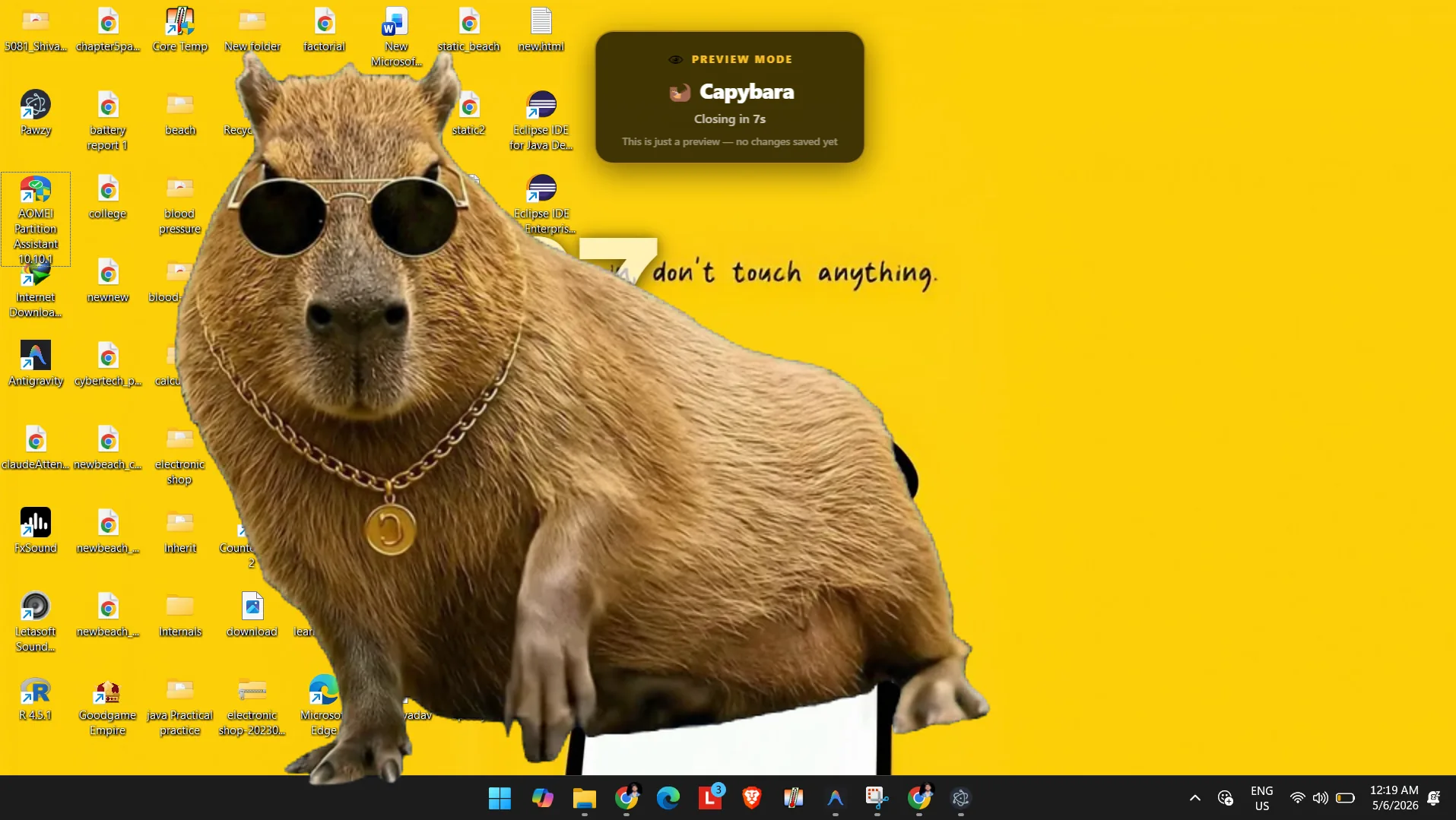
Capybara

Capybara

Maximum chill energy. Relaxes on your screen while you take a breather.

Get Pawzy
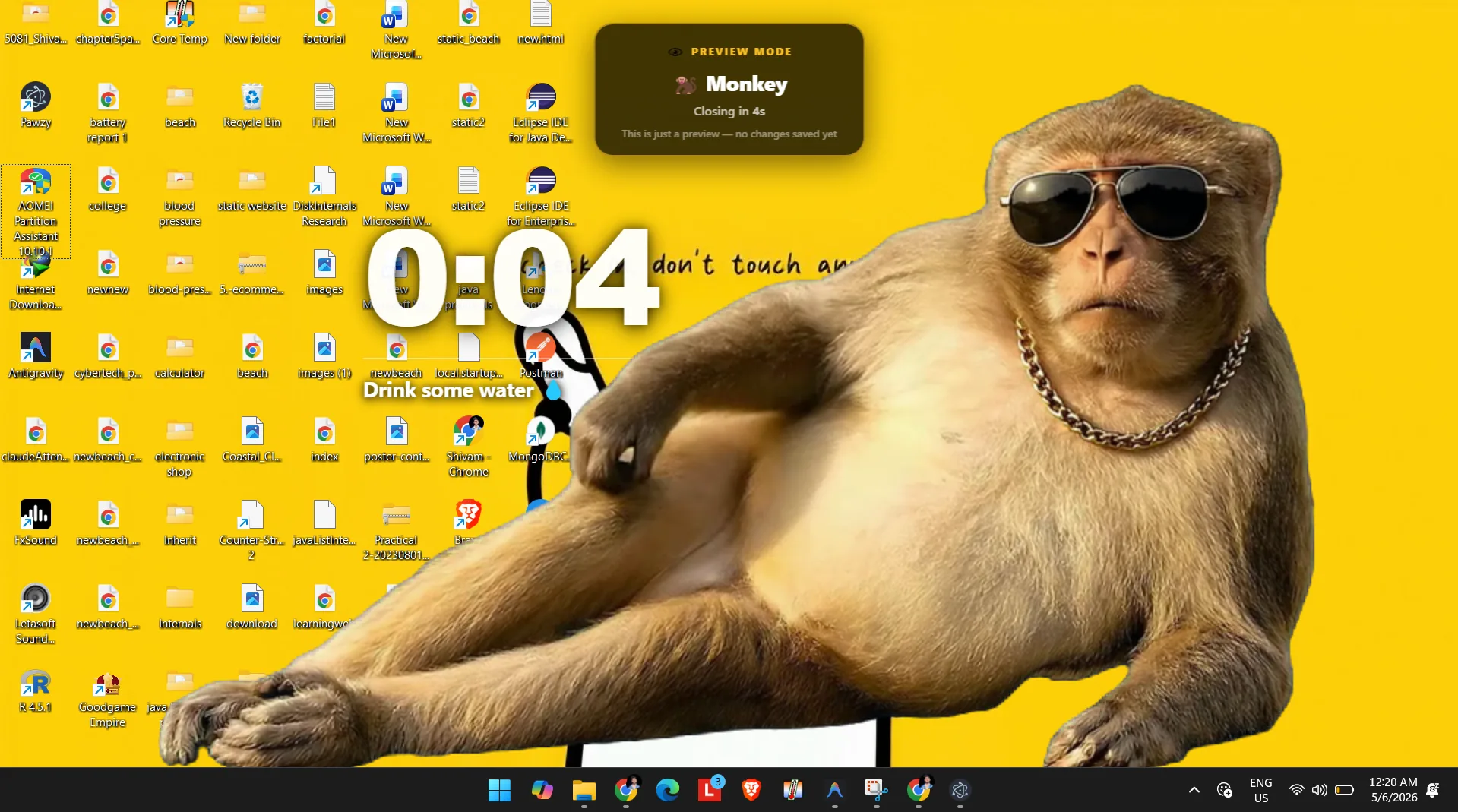
Monkey

Monkey

Playful and curious. Swings in to make sure you step away from the keyboard.

Get Pawzy

How Pawzy Works

Set Focus Goals:

Decide how long you want to focus before taking a break. Set it and forget it.

Work with Your Guardian:

Your companion watches over you while you work, gently keeping you accountable.

Inescapable Rest:

When the timer hits zero, Pawzy blocks your screen. Time to stretch and hydrate.

Dog studying at desk
Your companion helps you study & focus
Features

Everything you need

No subscriptions, no accounts, no data collection. Just you and your companion.

๐Ÿ–ฅ๏ธ

Inescapable Breaks

True fullscreen. No Alt+F4, no minimize, no skipping. Your body will thank you.

โš™๏ธ

Custom Timers

Work 5โ€“120 min, break 1โ€“30 min. Change anytime from the tray icon.

๐Ÿš€

Launches on Login

Toggle auto-start so Pawzy is always running - even after restarts.

๐Ÿ”’

100% Offline

No telemetry, no servers, no accounts. Everything lives on your machine.

๐Ÿชถ

Lightweight

One AppImage or EXE. No Python, no npm, no setup. Just download and run.

๐ŸŽจ

4 Companions

Cat, Shiba, Capybara, Monkey - each with unique animations and personality.

Frequently Asked Questions

What makes this the best Cat Gatekeeper alternative?

Unlike browser extensions that only block a few websites, Pawzy runs as a native desktop application. This means our screen blocker can block you from doomscrolling on Twitter, but also stop you from playing Steam games, using Discord, or ignoring your work. It's inescapable.

How does it stop doomscrolling?

When your focus timer ends, a giant capybara, monkey, dog, or cat will physically slide over your entire screen. You cannot click behind them. You cannot open a new tab to bypass them. The only way to remove them is to wait out your break or type a tedious "I want to ruin my eyes" override code.

Is Pawzy really free?

Yes. 100% free and open source. No premium tiers, no ads, no data tracking. Just pure productivity enforcement.

Does it work on Linux and Windows?

Yes! We offer a portable Linux AppImage (works on Ubuntu, Fedora, Arch, etc.) and a standard Windows executable. macOS support is currently in development.

Is Pawzy a Cat Gatekeeper alternative?

Yes! Pawzy was directly inspired by Cat Gatekeeper. But while Cat Gatekeeper is a Chrome extension that only works on 6 specific websites, Pawzy is a full desktop app that blocks your entire screen - covering every app, game, video, and website, regardless of which browser you use.

Can I bypass Pawzy by opening a new tab?

No. That's the key difference from browser extensions like Cat Gatekeeper. Pawzy operates at the OS level - it takes over your entire screen, not just a browser tab. There's no new-tab trick, no Alt+F4, no minimizing.

Does it work on YouTube, TikTok, Instagram?

Yes - and everywhere else. Pawzy doesn't maintain a list of "supported sites". It's a desktop application that works across your entire computer. Whatever you're doing when break time hits, Pawzy shows up.

What if I get an urgent call?

Pawzy is designed to be inescapable to build discipline, but there's a strict emergency override sequence if absolutely necessary (though we don't make it too easy!).

Does it work over fullscreen games or videos?

Yes. Pawzy runs at the OS level and will show up over most borderless/fullscreen applications when your break starts.

Is my data private?

100%. Pawzy is completely offline. It doesn't connect to any servers, has no accounts, and requires no internet access to work.
Ready to take real breaks? ๐Ÿพ

Free forever. 100% Open Source. No accounts needed.

Download for Windows Linux Star on GitHub

Windows may show a SmartScreen warning since it's a new indie app - click 'More info' โ†’ 'Run anyway'. It's fully open source and safe.

Contact

Get in touch ๐Ÿพ

Questions, feedback, or just want to say hi? Send us a message!